
1. Your people check in on Telegram
Long legs, short check-ins. A tap and a site name when they arrive. When they finish they type what they did. No roster to maintain: the roster is the check-ins.
📍 For cleaning crews, trades, security, care & facilities teams
Every approval signed and traceable.
Your crew checks in and out on Telegram at each site. You approve with a tap, and ZimQi exports a payroll file. Set up your company right in Telegram in about a minute.
 Start on Telegram
Free 30-day trial (up to 100 credits) · no card
Telegram is a trademark of its owner. ZimQi isn't affiliated with Telegram.
The ZimQi emu can't fly. Your Friday paperwork can.
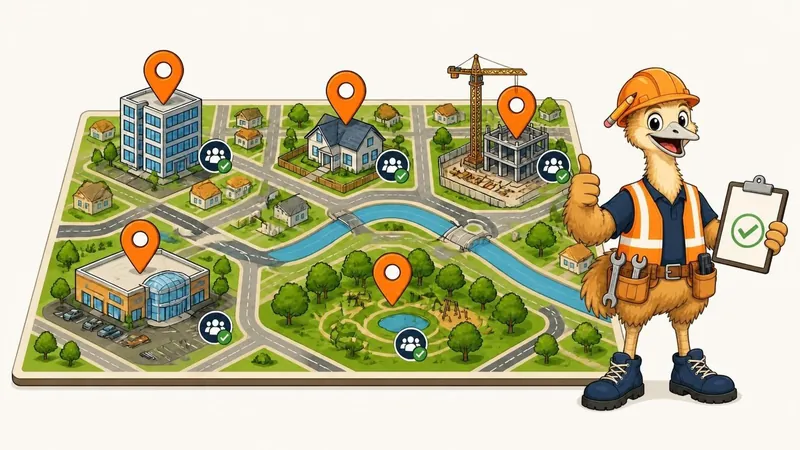
Illustrative example: names and times are made up.
How it works
One simple loop, every week. Built for gloves-on thumbs and end-of-day brains.
Long legs, short check-ins. A tap and a site name when they arrive. When they finish they type what they did. No roster to maintain: the roster is the check-ins.

Supervisor, bookkeeper, owner, in whatever order suits your business. Every approval, edit and rejection becomes a timestamped, signed record.

Approved hours become a clean, payroll-ready file. No re-typing, no shoebox of dockets.

Silent approvers get a friendly reminder on schedule, then an escalation if they keep ignoring it. You get to stop being the chaser. (We've heard it's very relaxing. The emu does the polite nagging.)
See the whole loop →Live today
No vapourware here. Everything on this list is part of the timesheet loop that's live today.
Your people pick their site or location and tap in. No extra app if they're already on Telegram.
Type what you did. One narrow AI step structures it, and anything unclear gets flagged, never guessed.
Supervisor → bookkeeper → owner, or whatever order fits. Approve, edit or reject from the chat.
Reminders go out on schedule, tied to the shift times you set for each site, so nobody forgets to check out or sign off.
Every approval, edit and rejection is an append-only, timestamped event. Handy when hours get disputed.
Cleared records become a clean file for your pay run. Export your own CSV any time, free.
Who it's for
If your people start the day (or the night) somewhere other than your office, ZimQi fits. Add your sites, assign your people, and the check-ins do the rest.

Offices, medical suites, schools and shopping centres, often after hours. Cleaners check in at each site; you approve the week in one go.

Builders, sparkies, plumbers and handy crews moving between jobs. A tap and a site name in the morning, the story at knock-off.

Guards working across sites and overnight shifts. Check-in and check-out at each site, plus a signed approval trail when hours get questioned.

Support workers visiting clients' homes through the week. Hours for each visit, approved and ready for payroll.

Built for people on the move
Big buttons, plain words, and nothing that needs a training day.
Honest roadmap
Timesheets are the first job ZimQi does. These are next on the workbench, built in order and in public.
Coming soon / roadmap: none of these are live, none are included in any plan, and none are charged for today. Plans and timing may change.
Turn any enquiry into a clean sales record and a first follow-up draft.
Draft invoices and chase messages; prepare payment batches with double approval.
Draft estimate line items traceable to their sources, in your template.
Track tenders, deadlines and docs; draft the nudges.
Draft quote requests to suppliers and subbies, track replies, compare.
Assemble the pack, check it's complete, draft the cover.
Draft the handover pack and map records to your folders.
Draft assignments and progress checks; pay gates stay with the owner.
Keep insurance, licences and expiry dates current and flag the gaps.
One narrow AI step turns the photo into tidy rows — same confirm-first loop. Also voice notes into your site diary.
Upload your roster as a photo or PDF; it becomes a draft of who works where, and you approve it.
FAQ
Just Telegram, the free messaging app. If your crew already use Telegram there's nothing new to install: they check in and out by chatting with the ZimQi bot. If they don't, it's a one-off free download from the App Store or Google Play.
Timesheets. The full loop works today: Telegram check-in and check-out, tidy notes with flags, your approval chain, nudges, a signed record, and a payroll-ready file. Everything else on this site marked “Coming soon” isn't live yet, isn't included in any plan, and isn't charged for.
Every account starts with a free 30-day trial (up to 100 credits), no card needed. After that it's a flat monthly plan, not per-seat pricing: Starter A$19, Solo A$49, Team A$149 or Scale A$299 a month, ex GST. Tapping in and out, approving, assigning people to sites and exporting your own CSV are always free.
No. It suits any business whose people start work somewhere other than your office: commercial cleaning, trades, security, facilities and maintenance, home care and disability support, landscaping and event crews. You add your sites or locations (an office, a client's home, a building site), assign your people to them, and they check in on Telegram when they get there.
Not in the shift-planning sense. You assign each person to a site, and the shift start and finish times you set for that site drive the check-in and check-out reminders. If someone moves to a different site, you change their site in the dashboard or with the bot's /assign command. ZimQi doesn't plan shifts, swap shifts or calculate award rates.
Download approved hours as a CSV for your bookkeeper.
No. There's no GPS or geofencing. Your people pick their site when they check in. What ZimQi does record, carefully, is who approved, edited or rejected each entry, and when.
It's not allowed to guess. One narrow AI step tidies messy notes (“7h30, guesstimate”) into rows, and anything it's unsure about is flagged for a human to check. Nothing leaves ZimQi without a named person saying yes.
We'll always tell you straight. Your data is tenant-isolated on an encrypted server that is currently overseas (it geolocates to Malaysia), with a migration to an Australian (Sydney) region underway. The privacy policy states the current and destination location, and the cross-border disclosures, plainly.
Yes. Cancel any time from Billing, and export your own records as CSV before you go — getting your data out is free and is never held hostage.
Free 30-day trial (up to 100 credits) · no card

t.me/zimqi_staging_bot
Open Telegram Desktop
Don't have Telegram? Get it free ↗
Prefer email? Sign up with email instead
Telegram is a trademark of its owner. ZimQi isn't affiliated with Telegram.